A folder of markdown in git is the right place for documentation: diffable, reviewable in a pull request, readable by your tooling. It is a miserable place to read documentation. You open a file, you get raw pipes where a table should be, and a heading is a line starting with a hash.
md-browser-editor is a markdown editor for that folder — the one you already have, with its images and its subdirectories, wherever it lives.
npx md-browser-editor serve ./docs --openNo config file, no database, no build step, nothing to install. The directory you point at is the state.
It reads, and edits, like a document
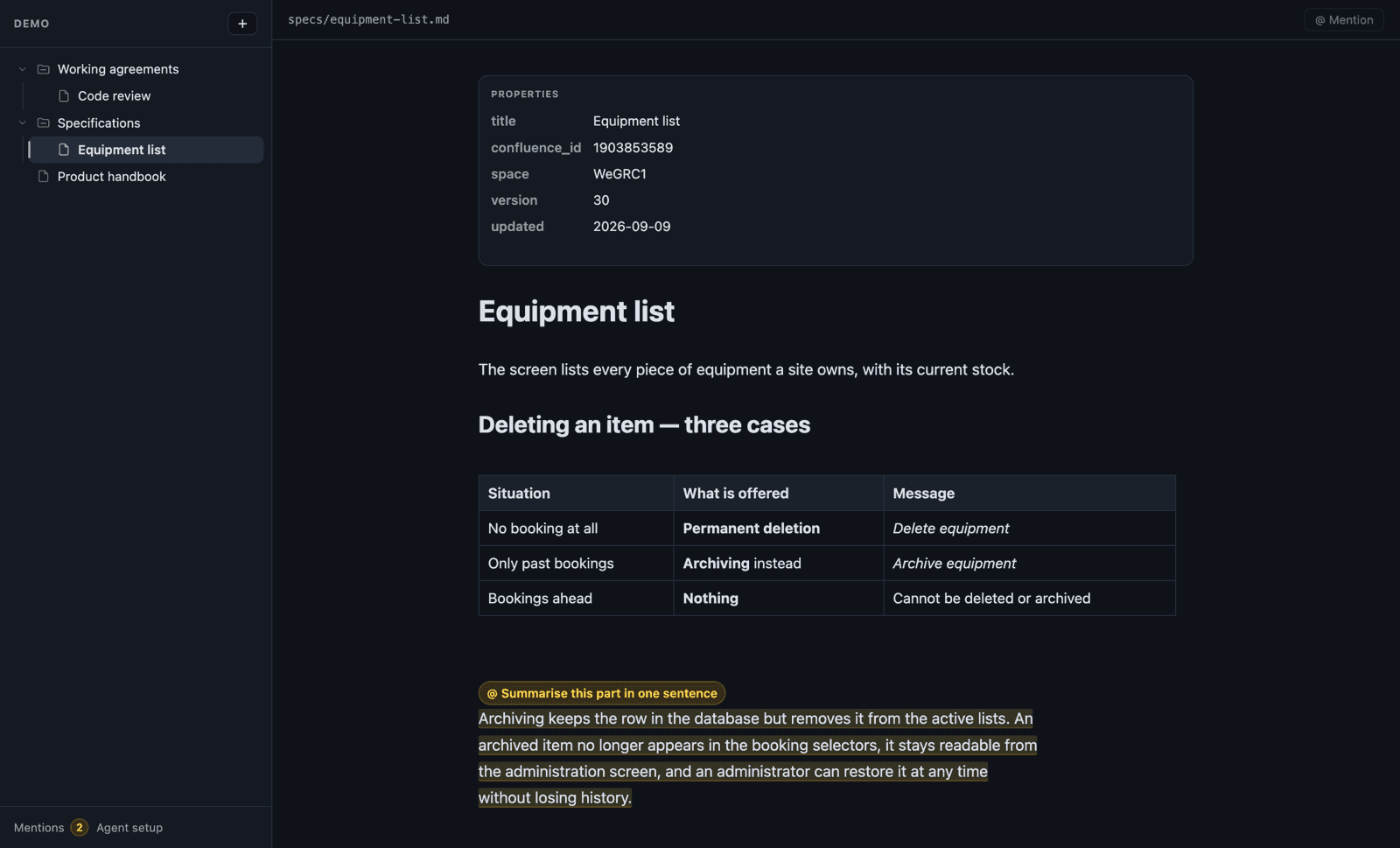
One pane, in live preview: markdown renders in place, and the source of whatever your caret sits in comes back so it stays editable. It is the Obsidian model rather than a split view, because reading and editing the same words in the same place is the point.
Tables are tables. Click a cell to edit it — the input holds the raw markdown of that cell — Tab for the next one, + to add a row or a column; the header cell carries a ✕ to drop its column and a button to cycle its alignment. The markdown is rewritten from the cells on every change, so the file stays the only state.
Frontmatter is a properties panel, not a heading. A markdown parser reads
title: Guide followed by --- as a setext heading, so an unhandled
frontmatter opens the document with a giant title made of its own metadata. Here
the block renders as key/value rows, and clicking it brings the raw YAML back.
The tree names documents by their title — the frontmatter one, else the first
heading — so 02-installation.md reads as "Installation", while the ordering
still follows the file name. A folder with an index.md is that page.
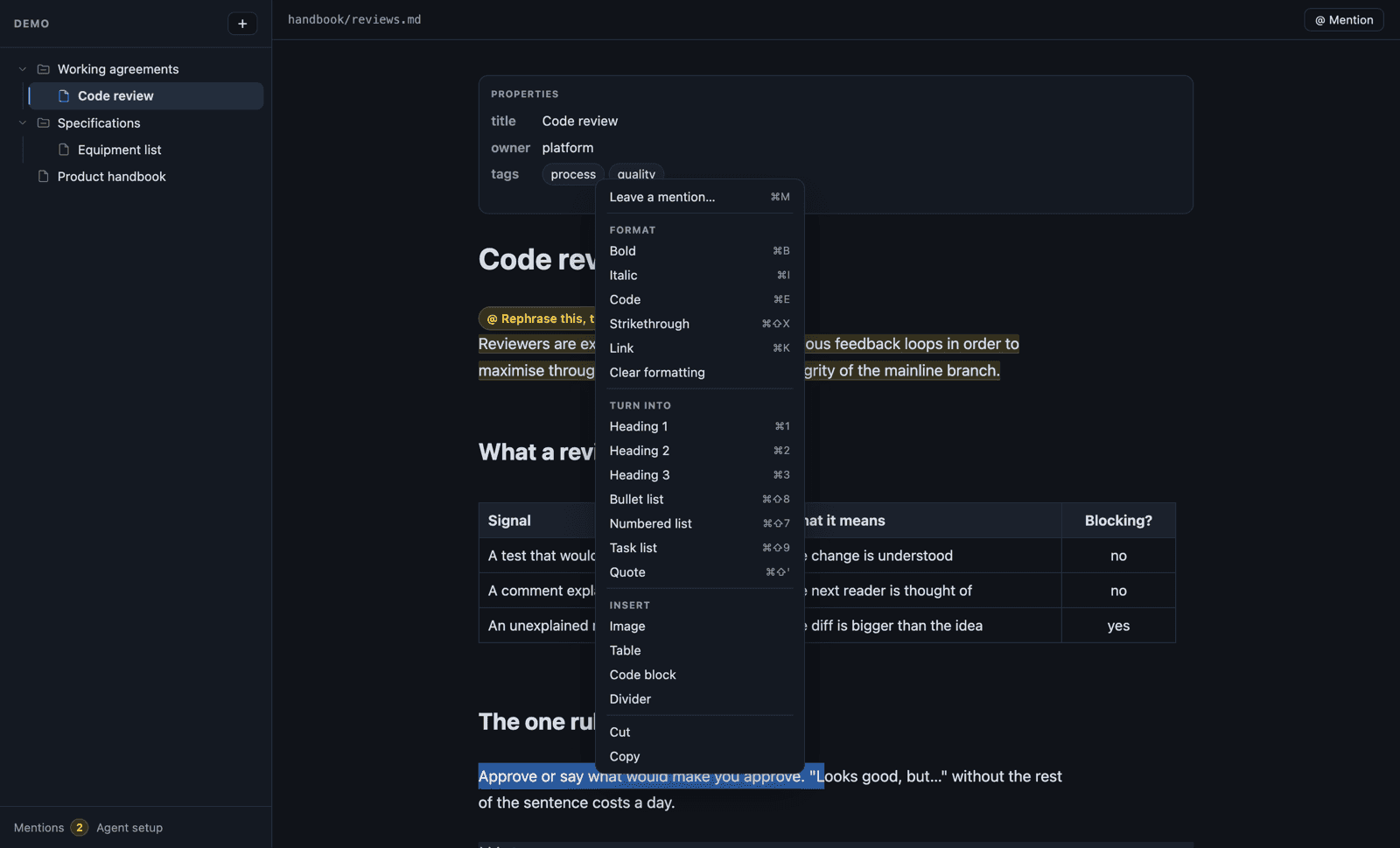
And the editing gestures are where your hands already are: ⌘B, ⌘I, ⌘K for a link, ⌘1 to ⌘3 for headings, ⌘⇧8 for a list — all of them toggles, so ⌘B on bold text takes the bold off. Right-click has the same commands, plus insert a table, an image, a code block.
Fenced code is highlighted, internal links open in the editor, every document has its own URL so a refresh lands back on it, and files are written as plain markdown with exactly one trailing newline — they live in git, and a missing one shows up in every diff.
The part that is not typing: mentions
Here is the situation this was built for. You are reading a spec, and you see the work: a paragraph too jargon-heavy, a section that should be summarised, a procedure that is three releases out of date, a page that needs rewriting for a different audience. Fixing it properly is twenty minutes you do not have right now, and "page 4, second paragraph, too jargon-heavy" in a ticket is a terrible way to say where.
So you do not write it. You mark it, and an AI agent writes it.
Select the passage, press ⌘M, say what should be done — or press ⌘M with nothing selected, and the request is about the whole document. Then Claude Code or Codex reads your marks, applies them, and removes them. You read the diff.
The editor itself has no AI in it. No API key, no model, nothing leaves your machine — it is a server that reads and writes files. The intelligence is the agent you already run in that repository, and a mention is how you hand it work without leaving the page you are reading. That is the whole trick: the editor is where you notice, the agent is where the writing happens, and the file is what they have in common.
The mark is a pair of HTML comments around the passage:
<!--ai:k2m Summarise this part in one sentence-->
Archiving keeps the row in the database but removes it from the active lists. An
archived item no longer appears in the booking selectors…
<!--/ai:k2m-->
Or, for a request about the document as a whole, a single marker at the top, below the frontmatter:
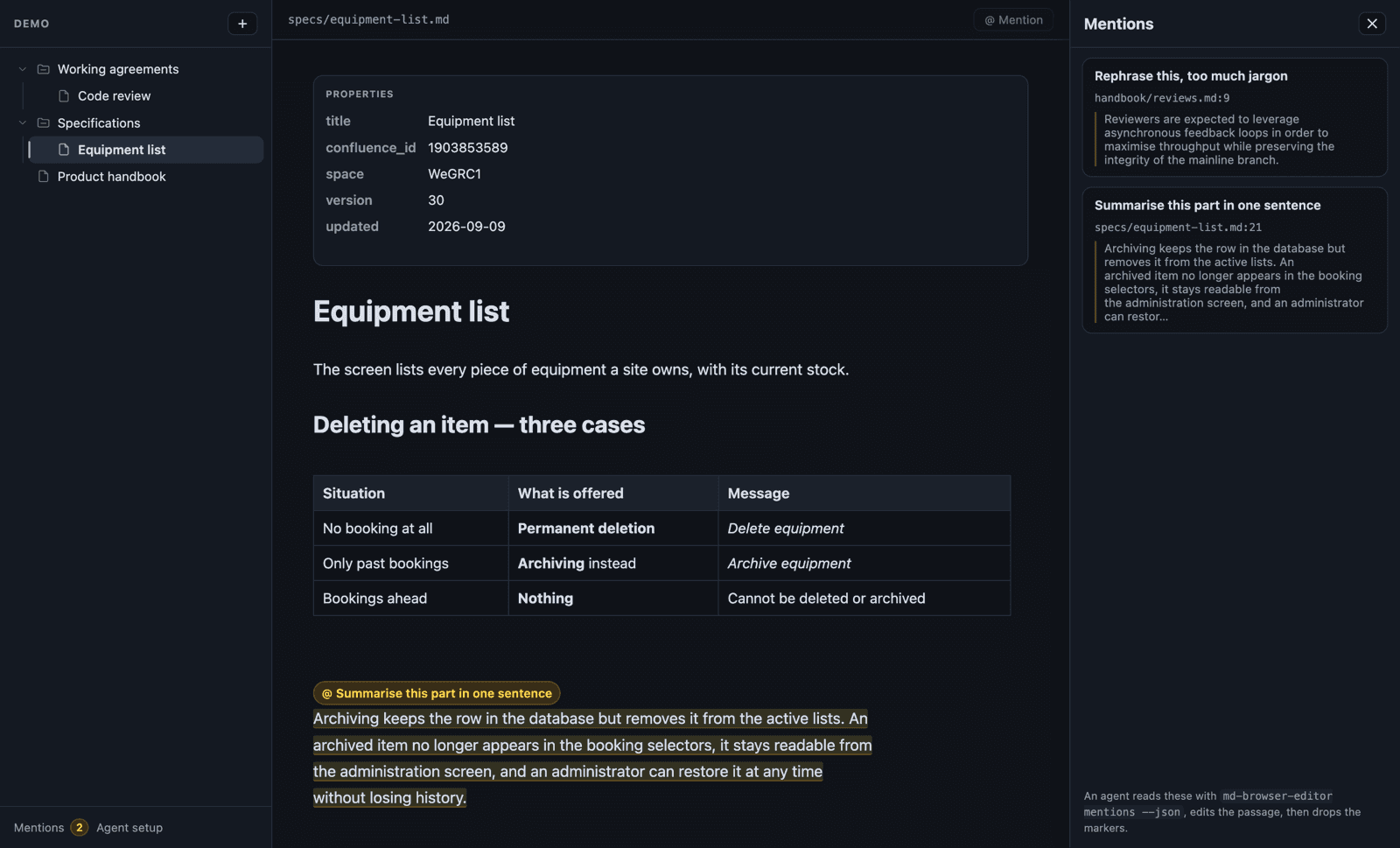
<!--ai:file:b7k Rewrite this page for a non-technical audience-->In the editor those markers fold away: you see the passage highlighted with the instruction as a pill, a file mention as a pill of its own above the document, and a panel lists every mention in the tree — "what is left to do in this documentation", one click away.
Why in the document, and not in a sidecar file. Four things follow from it,
and they are the whole design: the anchor never drifts, because the text moves
and its markers move with it. The instruction sits exactly where it applies, so
an agent that only ever opens the file reads both together. It survives a
rename. And it shows up in a git diff, which makes "what has been asked for"
reviewable like everything else.
HTML comments render as nothing — here, in Obsidian, on GitHub. Nobody reading your documentation sees them.
Handing it over
md-browser-editor mentions ./docs --json{
"file": "specs/equipment-list.md",
"id": "k2m",
"scope": "passage",
"prompt": "Summarise this part in one sentence",
"text": "Archiving keeps the row in the database…",
"line": 21
}The contract is three steps: read the mentions, edit what each one points at, drop the markers to say it is done. That last step matters — an unresolved marker is how an agent says "I did not do this one".
For Claude Code and Codex, one command writes that contract where they read it:
npx md-browser-editor init-agent .Claude Code gets .claude/commands/mentions.md, so the whole loop becomes
/mentions. Codex gets a managed section in AGENTS.md, which it reads on its
own. Your own AGENTS.md is appended to, never replaced.
And while the agent works, the editor follows the files: a document you are not editing reloads itself, and you watch the pills disappear one by one. If you were editing it, the save is refused rather than flattening the agent's work, and you choose which version survives.
What it will not do
It binds 127.0.0.1, writes markdown and nothing else — no dropping a .js next
to your documents — serves other files from an allowlist, refuses any dotted path
segment so .env and .git/ stay unreachable, and executes no code at all: a
fenced block is text with a background. No rename, move or delete from the
browser either; those belong to your file manager and your git history.
Try it on a folder you already have
npx md-browser-editor serve ./docs --open      # nothing to install
npm install --global md-browser-editor         # or keep it around
Node ≥ 18, and no runtime dependencies — the server imports only node:*
builtins, and CodeMirror is bundled into a single file, so there is no tree of
transitive packages to audit. MIT, sources on
GitHub.
It pairs with confluence-md-sync: mirror a Confluence space as markdown, read it properly, mark what is wrong, let an agent apply the corrections, push them back.
Znote is a local-first Markdown editor with executable code blocks and AI grounded in your notes. Opens Obsidian vaults natively.